Safecoms.com

Backing up Your Data can Save Your Business

Data Backup in Thailand

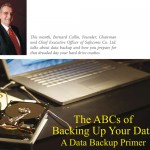
(Click Here to download the pdf with the article and photos as it appeared in the press)

This month, Bernard Collin, Founder, Chairman and Chief Executive Officer of Safecoms Co. Ltd. talks about data backup and how you prepare for that dreaded day your hard drive crashes.

Imagine arriving at the office one morning and discovering that the hard drive on your main server has crashed and most of your company data is now inaccessible. What’s your first question? Is our data backed up? Wrong answer. If that’s your first question, it means you don’t know for sure and you are surely courting disaster. A better question would be, “How long before we can replace that drive and start restoring our backup? Most business owners are aware of the importance of backing up data, but there is a huge gap between theory and practice. Ask Bernard Collin, CEO of SafeComs Co. Ltd. He’s seen it all.

”I remember visiting one company that was doing everything right. They had truly impressive data backup policies and procedures. The problem was their IT guy had neglected to inform anyone that he had disconnected the backup drive from the Server because it wasn’t working. He was sure the company wouldn’t approve the purchase of an expensive replacement drive so decided not to bother asking. The potential consequences of that oversight could have put the company out of business.”

Catastrophic data loss is generally seen as something that happens to other people. Statistics indicate that you stand a very good chance of being the next ‘other person’. In a recent US survey, thirty percent of PC users had lost all of their files due to events beyond their control and 60% of companies that lost their data shut down within 6 months of the loss event. Most business owners are aware of the risk and most think they have backup under control. “In reality, very few companies are adequately prepared for even minor data loss events,” says SafeComs Bernard Collin.

So, what are you doing now and what should you be doing to ensure business continuity in the event that all your data disappears or your drives crash and you can’t get at it? SafeComs recommends that an effective data backup policy begins with a number of basic questions.

What data should we backup?


You don’t need to backup absolutely everything. Backing up everything is called ‘archiving’ and should not be confused with backing up. Archiving means saving data because you might want to look at it sometime in the future or you have to keep it for a specified period of time, like financial records. Backing up means keeping copies of the data you need to work with on a daily basis, monthly, or quarterly basis.

SafeComs recommends sitting down with your management team and identifying essential company data. What data could you not afford to be without for even a day? Most of that will be financial and customer data, but it depends on the nature of your business. Also consider the cost or re-entering lost data by hand and what that would mean in terms of lost productivity.

It’s alarming how many companies never actually test their backup systems.

How do we backup essential data?


The most appropriate choice of hardware and software will depend on the volume of data your company generates. For a small business that could mean something as simple as an external hard drive. If your business uses 25 to 100 computers, you are probably looking at more sophisticated tape drive or real-time systems that can cost hundreds of thousands of Baht to install and maintain. The ongoing maintenance costs, including dedicated personnel, can be substantial.

Where do we keep the data we backup?


If your backup copies are not stored in a secure place, they’re not backups. A ‘secure place’ is not a partition on the same drive nor is it an external hard drive sitting in the same room. ‘Secure place’ means a fireproof safe that’s also secure from theft, preferably offsite, in the event of a fire, a flood or some other natural or human disaster beyond your control.

How do we restore backed up data?


It’s alarming how many companies never actually test their backup systems. Think of it this way: You do fire drills so that in the event of a fire, everyone knows what to do. The same applies to backing up your data. What use are those backup tapes if you discover on the day you need them that they actually don’t contain the data you thought you were saving, or no one actually knows how to do a data restore? SafeComs recommends that whatever system you are now using, you regularly test your backups by restoring the data to a dummy system. The added benefit is that this simple procedure helps keep data backup ‘top of mind’ among key staff.

Outsourcing can be less expensive, more reliable and far more secure than doing it yourself. How can that be possible?

Who does the backing up and who has access?


There are a number of common causes for data loss. Theft ranks near the top. Disgruntled employees, industrial espionage, data blackmail and malicious damage are increasingly common events these days (see Cybercrime, TTOasia, p76, July 2008). Good backup procedures include a policy on who is authorized to do backups, who has access to the backup copies, and what they can and can not do with those copies. SafeComs Bernard Collin illustrates the dangers of lax policy and controls with a case that’s been before the European courts for several years now. Two engineers working for a major bank took some data backup copies with them when they left. The data turned out to be of considerable interest to the tax authorities in neighboring countries. Millions of Euros hang in the balance while the tax departments await the court’s verdict.

Over time, even the best procedures tend to become ‘relaxed’.

Outsourcing data backup in Thailand


The most common concerns about outsourcing data are confidentiality of information, risk of disclosure risk and loss of data. These are genuine concerns. Confidentiality and disclosure are contractual issues and best dealt with in the signed agreement between you and the outsource provider. Proper data encryption and secure storage will protect you against data loss. A reputable outsource provider should be able to answer these and other concerns you may have. You can also make enquiries about the providers reputation within the business community. A good outsource provider can, in many cases, provide a higher level of security than most companies presently have.

For a medium size company, the cost of purchasing the hardware and licensed software needed to ensure reliable backups can run to several hundred thousand baht. That may or may not include the cost of installation and debugging to make sure everything is compatible with your existing hardware and software. Nor does that include the cost of running and maintaining the backup system over a period of years before you have to do a major upgrade or replacement. Your IT staff may need to be trained and proper backup procedures add a lot of hours to an already heavy work schedule.

“The problem facing most in-house IT staff,” says SafeComs CEO Bernard Collin, “is that given a choice between fixing an immediate problem that’s preventing a user from working right now and doing a scheduled backup, the immediate problem wins every time.” This means that despite the best intended policies and procedures, vital backups often don’t get done as scheduled. Restoring data from a ten-day old backup tape means you have lost ten days of business, plus the time it will take to re-enter the data, assuming you have the paper records to work with. It’s this kind of catching-up trap that really hurts the bottom line and puts some companies out of business.

Another drawback of doing your own backups is that over time even the best procedures tend to become ‘relaxed’. Scheduled backups don’t get done for one reason or another, restoration drills are skipped—if they are done at all, and security gets lax. SafeComs CEO Bernard Collin points out that, “When you contract SafeComs to manage your backups, you are buying a guarantee that your data is being backed up on a daily basis and kept secure.”

Doing your own backups in-house also incurs significant maintenance costs. The average lifespan of a hard drive is five years. ‘Average’ means that some last longer, and some fail sooner. As hard drives continue to increase in capacity and decrease in cost, companies are using those drives much longer than they used to, which means your chances of experiencing a hard drive crash are getting higher as well. SafeComs recommends that if companies don’t want nasty financial surprises they should be budgeting to replace up to 5% of their hard drives annually.

Encryption is an essential element of a good backup system.

Should we outsource backup management?


What should you look for in an outsourced backup management system? SafeComs offers a good example. With 20 years of knowledge and experience to guide them, SafeComs has developed a comprehensive backup system called SafeBox that illustrates some of the best practice principles you should be looking for if you decide to outsource.

SafeBox hardware is assembled from industry standard components, including a ‘hardened’ operating system and two hard drives and comes with its own Uninterrupted Power Supply. Because you have defined the parameters, SafeBox ‘knows’ what data is critical and quietly gathers this data throughout the day and stores it to one of its sealed drives. Every night, SafeBox compresses and encrypts the data and stores it on the second hard drive. Once a week, a SafeComs technician comes and collects the second drive and takes it a secure storage location offsite.

The system is fully automated, so there is no need for specialist technical staff and no need to remember dates or passwords to backup. The whole operation is monitored remotely from SafeComs head office on a daily basis. If SafeBox is having a problem gathering data from any of its sources, an immediate alert is sounded. The system is regularly tested and the archives of your data are encrypted and stored remotely in a fireproof safe. When you need to backup your data, you can retrieve it in less than a working day. As part of the SafeBox service, SafeComs provides detailed monthly reports about what, how and when your data was backed up. No one can access the backup data but designated company officers.

“Encryption is an essential element of a good backup system,” says SafeComs CEO Bernard Collin. “When people think about ‘losing’ data, they seldom think about losing it to a thief or leaving it on the back seat of a taxi.

Be Prepared with a good set of data backup


Backing up your essential data assets is not rocket science. The key point is that effective backup is not a just a technical issue, it’s a human issue. Most of the really spectacular and catastrophic data loss events can be traced back to human error. Pay attention to the people, the processes and the procedures and chances are you will recovery reasonabley well from a data loss event. In the meantime, you can always call SafeComs and get an expert opinion on where you stand right now.

Now, imagine arriving at the office one morning and discovering that the hard drive on your main server has crashed and most of your company data is now inaccessible. What’s your first question? You don’t need to ask any questions because you have outsourced your backup management to SafeComs. They already know your drive crashed. A technician is already in your office replacing the bad drive with the secondary backup drive from SafeBox. You will be back up and running by the time your staff get back from lunch. What would be a disaster for another company is a minor hiccup in your day. Now that’s peace of mind!

WANT TO KNOW MORE?


SafeComs http://www.safecoms.com

SafeComs is a Bangkok based company specializing in network security for computer systems and for unique security solutions delivered over the Internet. SafeComs can provide Internet security audits, license legalization audits, critical backup solutions and anti-spam services. And if a disaster hapens before you had contracted Safecoms, be sure to have a look at these sites to learn more about recovering lost data:

www.savemydrive.com

www.driverecovery.info

Windows Backup Made Easy
http://www.microsoft.com/windowsxp/using/setup/learnmore/bott_03july14.mspx

This article was written by someone not employed by Microsoft, so it’s actually possible to follow the instructions.

Outlook Backup Tutorial
http://www.sitedeveloper.ws/tutorials/outlook.htm

If you are using MS Outlook it’s essential that you learn how to backup the data stored here. This article was written by someone employed by Microsoft and it’s still possible to follow the instructions.

Scary Stories
http://howtobackup.net/backup_stories.php

These true stories illustrate how human error can sabotage even the best technical backup solutions.


You are here  : Home About Us Press Clippings BackUp can Save Your Business